Troubleshooting PayPal Account Issues
Last updated: August 26, 2025
If you are having trouble linking, activating or using your PayPal account with OneText, follow this guide for troubleshooting and tips for escalating your ticket to PayPal support.
Check Your Account for Limits
If your account is unable to transact, it’s usually because PayPal has limited your account. This could be an error or because they need additional information.
To fix, visit the resolution center:
If prompted, log in to your account.
Review issues flagged in the resolution center inbox.
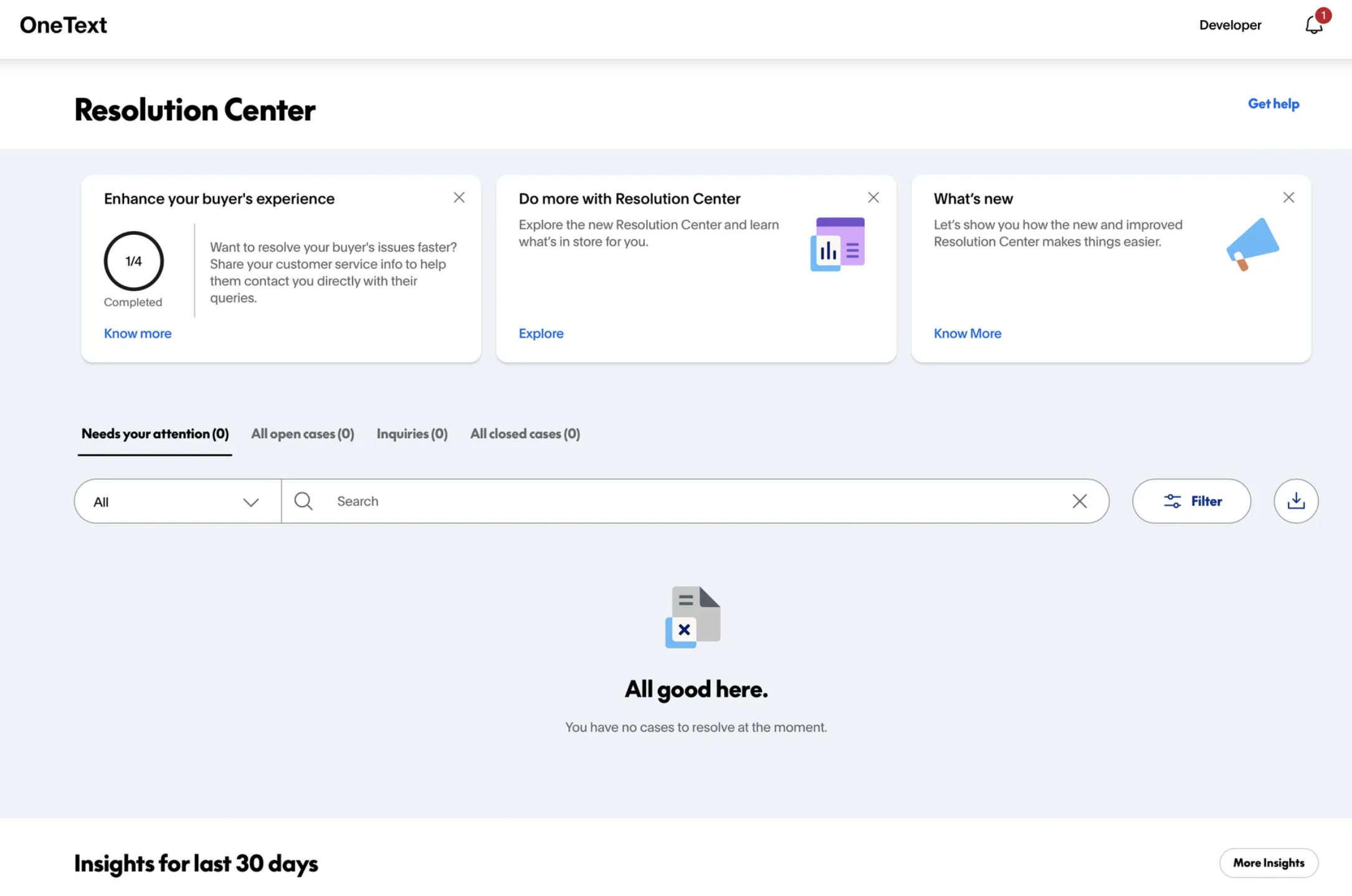
Escalate Your Request to PayPal Merchant Technical Support
If you need additional help, you can escalate your ticket to PayPal support by filing a “Merchant Technical Support” ticket as outlined below.
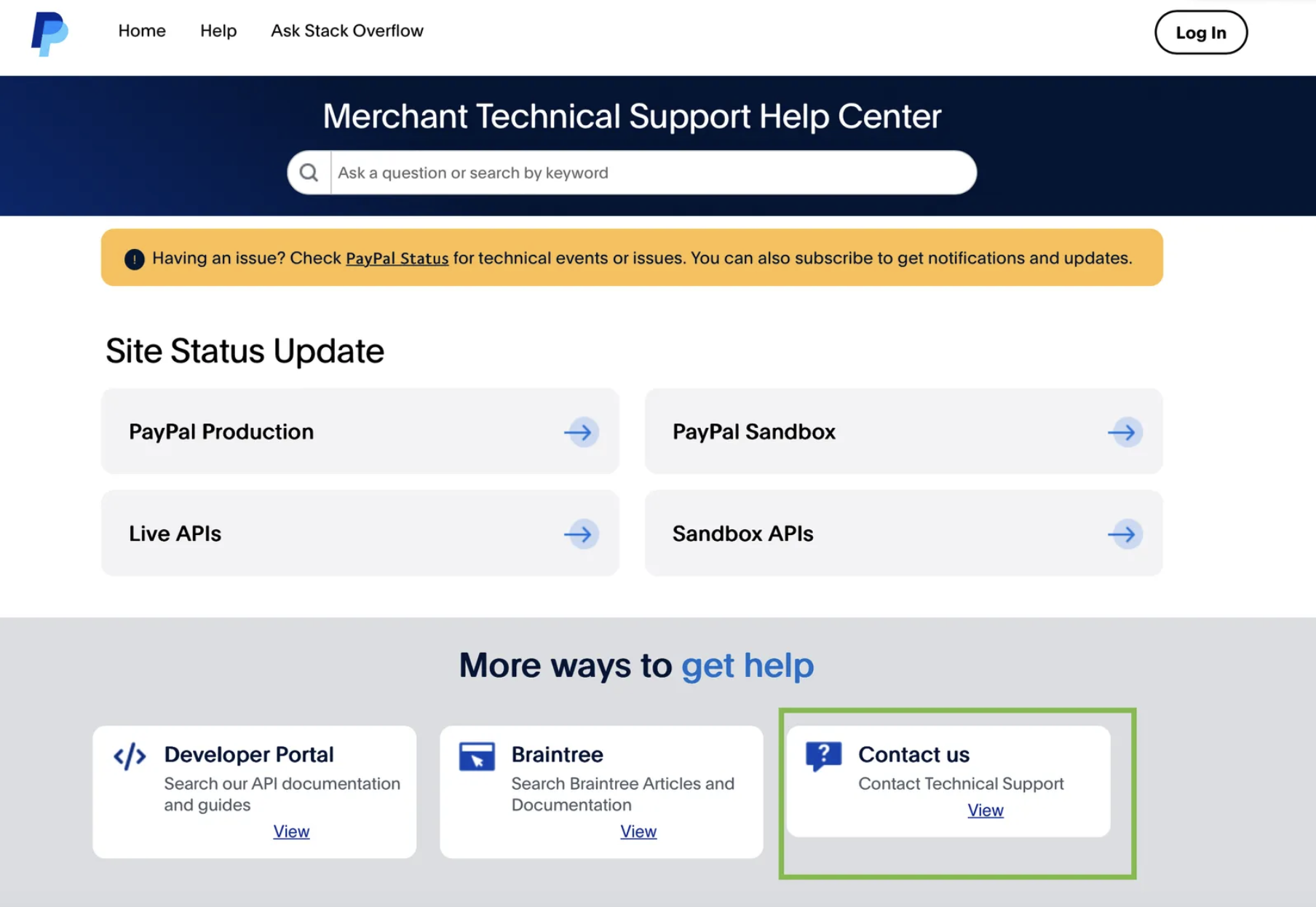
Visit this link, locate the “Contact Us” box and select “View”
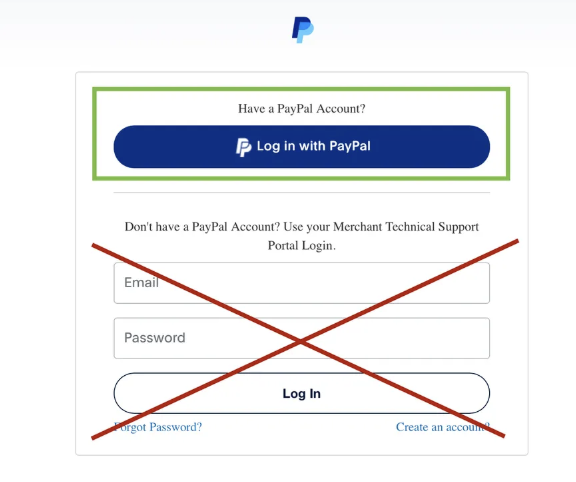
If you see the login page, select the blue PayPal button at the top of the page and log in—do not use the login fields below.
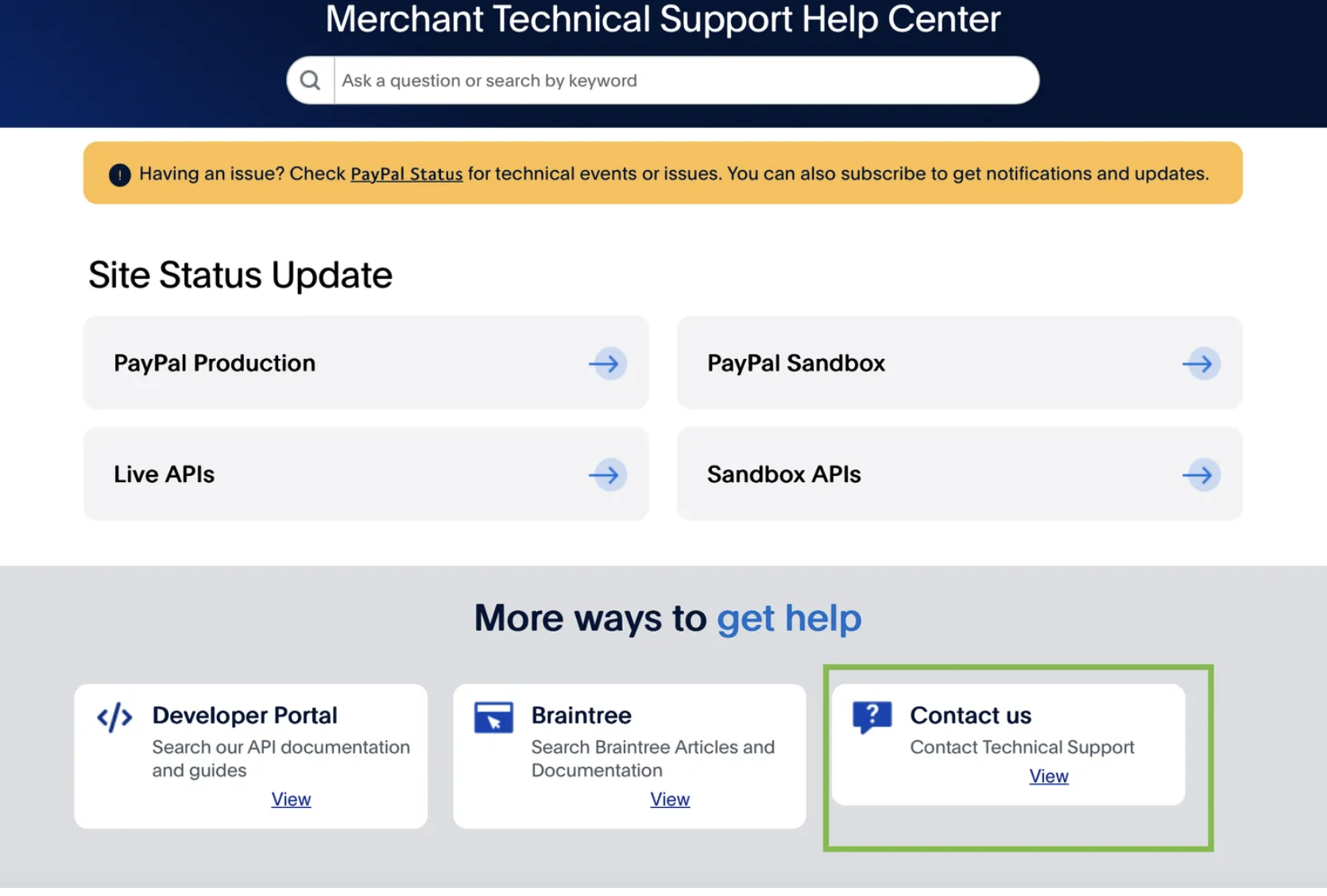
Once signed in, you’ll be redirected back to the technical support page. Again locate the “Contact Us” box and select “view”
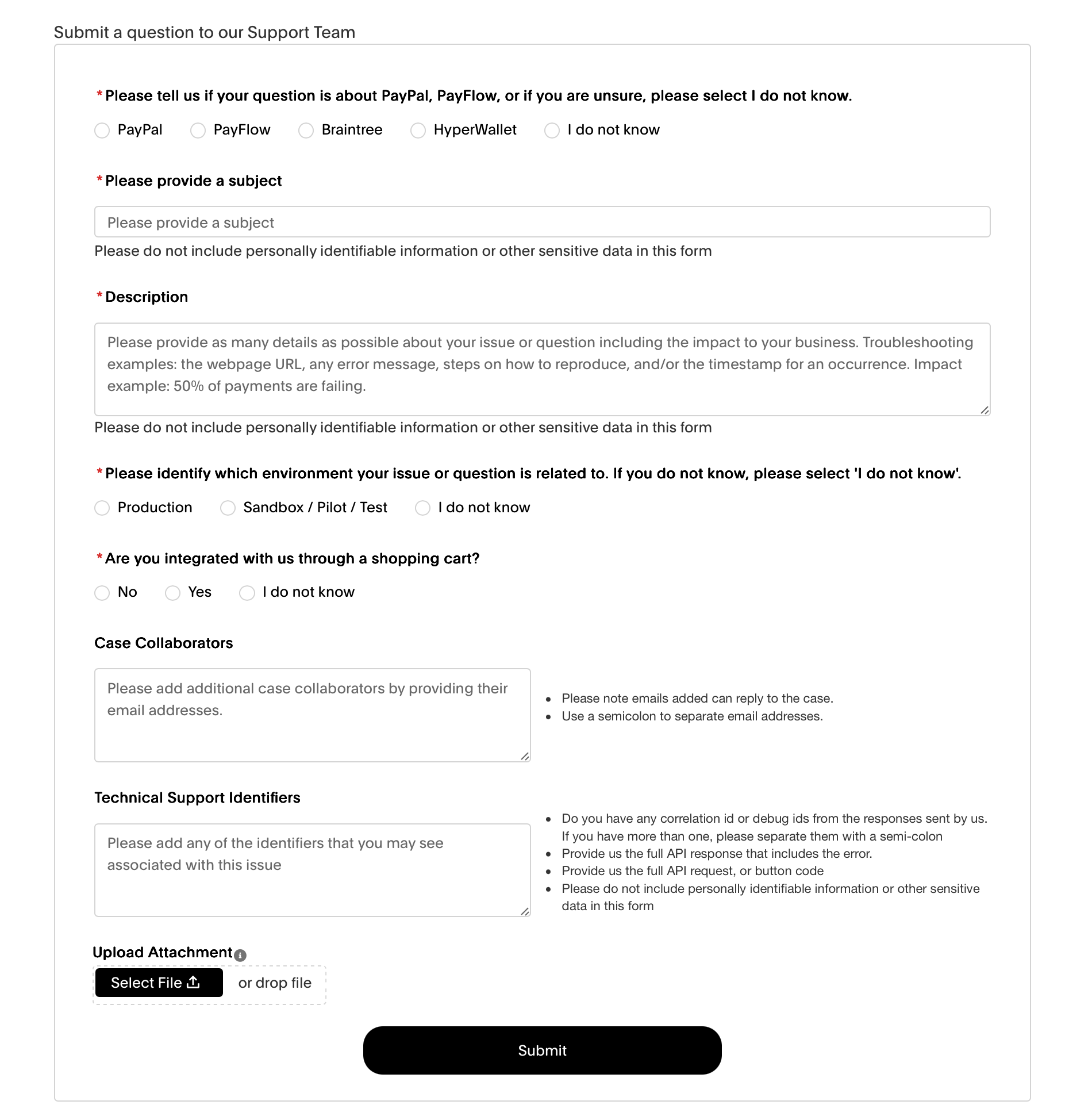
Complete the form to submit your request.
In your Description, mention that you’re “attempting to use PayPal alongside PayPal Channel Partner OneText (PayPal username: admin@onetext.com)”
Under Case Collaborators, we recommend including: admin@onetext.com, helpdesk@onetext.com, ddersimonian@paypal.com and apacker@paypal.com. If you have a PayPal account rep, include them as well.
Relink your PayPal Account
If you simply need to relink your account (or connect a new PayPal account) to OneText, reach out to the OneText Success team for a new integration link and follow our guide here.