Writing texts that fit
Last updated: October 23, 2026
Short texts perform better
A text is read in seconds, usually on a lock screen. Shoppers decide whether to tap from the first line. During peak week, when every brand is texting at once, the clearest message wins.
The 160-character rule
A standard SMS fits 160 characters. Anything longer is split into multiple segments of 153 characters each, and each segment is billed separately. A 170-character text costs the same as two texts.
Aim for one segment whenever you can. If you need more room, keep it to two.
Watch out for emojis and special characters
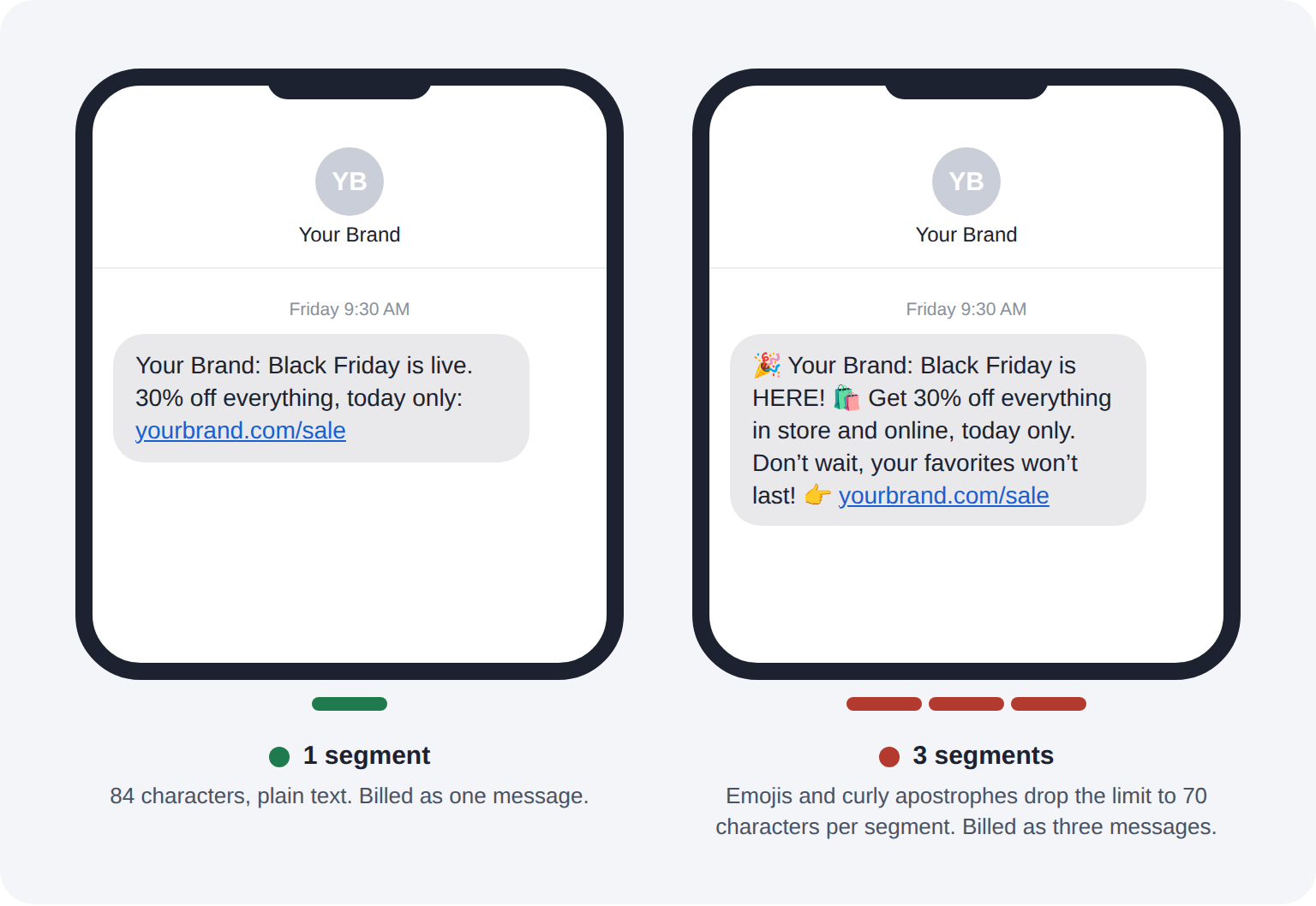
One emoji changes how the whole message is encoded. Instead of 160 characters per segment, you get 70. That means a single emoji can turn a one-segment text into a three-segment text.
Characters that trigger this include:
Emojis
Curly quotes and apostrophes (often pasted in from Word or Google Docs)
Long dashes
Accented or non-English characters
If you use emojis, use them on purpose and check the segment count before scheduling.
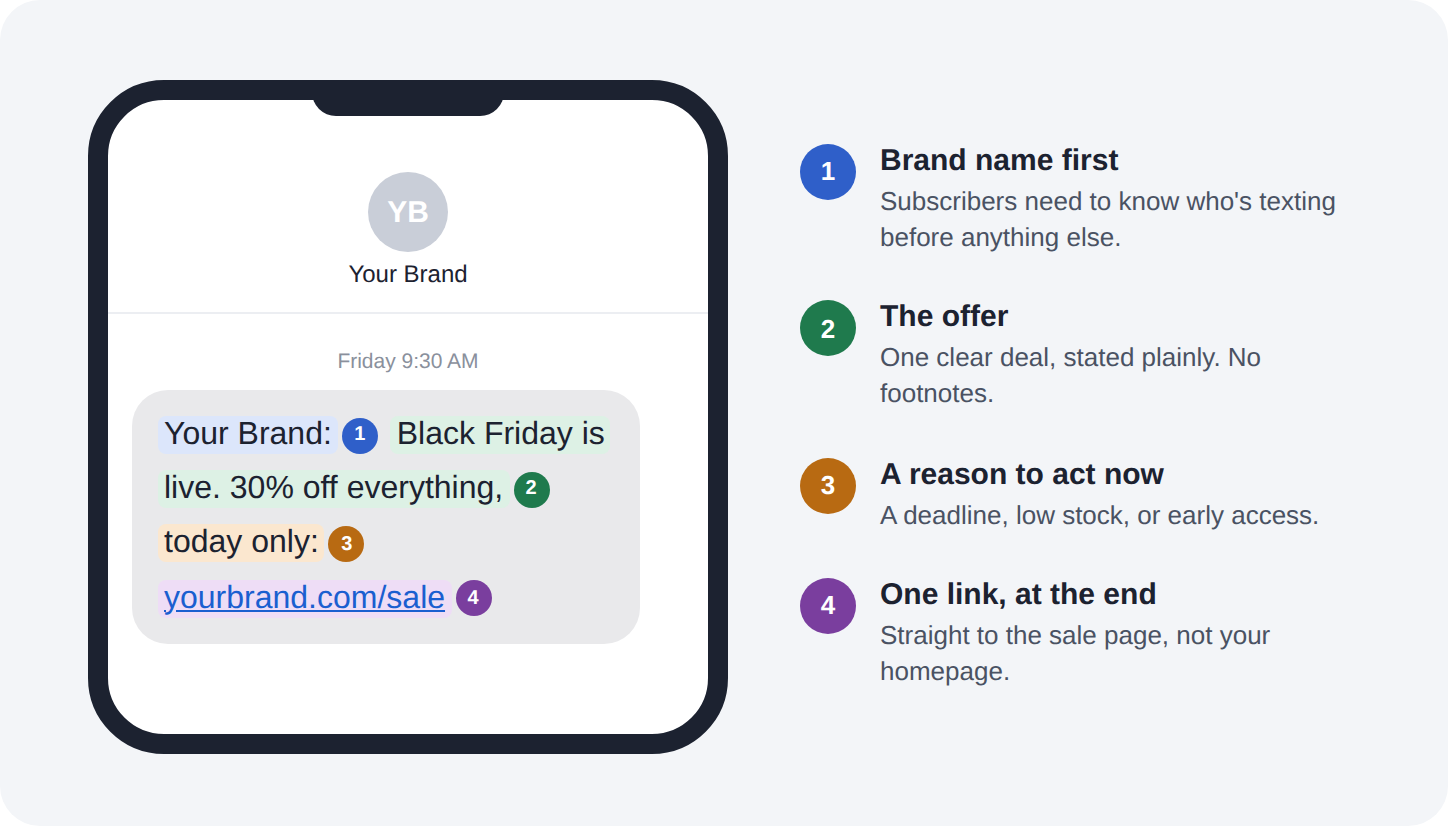
Structure every text the same way
Brand name first. Subscribers need to know who's texting.
The offer. One clear deal, stated plainly.
The reason to act now. A deadline, low stock, or early access.
The link. One link, at the end.
Example:
"[Brand]: Black Friday is live. 30% off everything, today only: [link]"
Links
Use one link per text. Two links split attention and can look like spam to carriers.
Send shoppers to the most direct page possible: the sale collection, not your homepage.
Check every link on your phone before the send goes out.
When MMS is worth it
An MMS (a text with an image) costs more per message but can outperform plain SMS for visual products. It's worth it when:
You're launching a new product or collection
The product sells on looks, like apparel, beauty, or home goods
It's a big moment, like your Black Friday launch
Read it on your phone
Before scheduling, send a test to yourself. Check how it looks on a lock screen, whether the link works, and whether the message still makes sense if only the first line is visible.
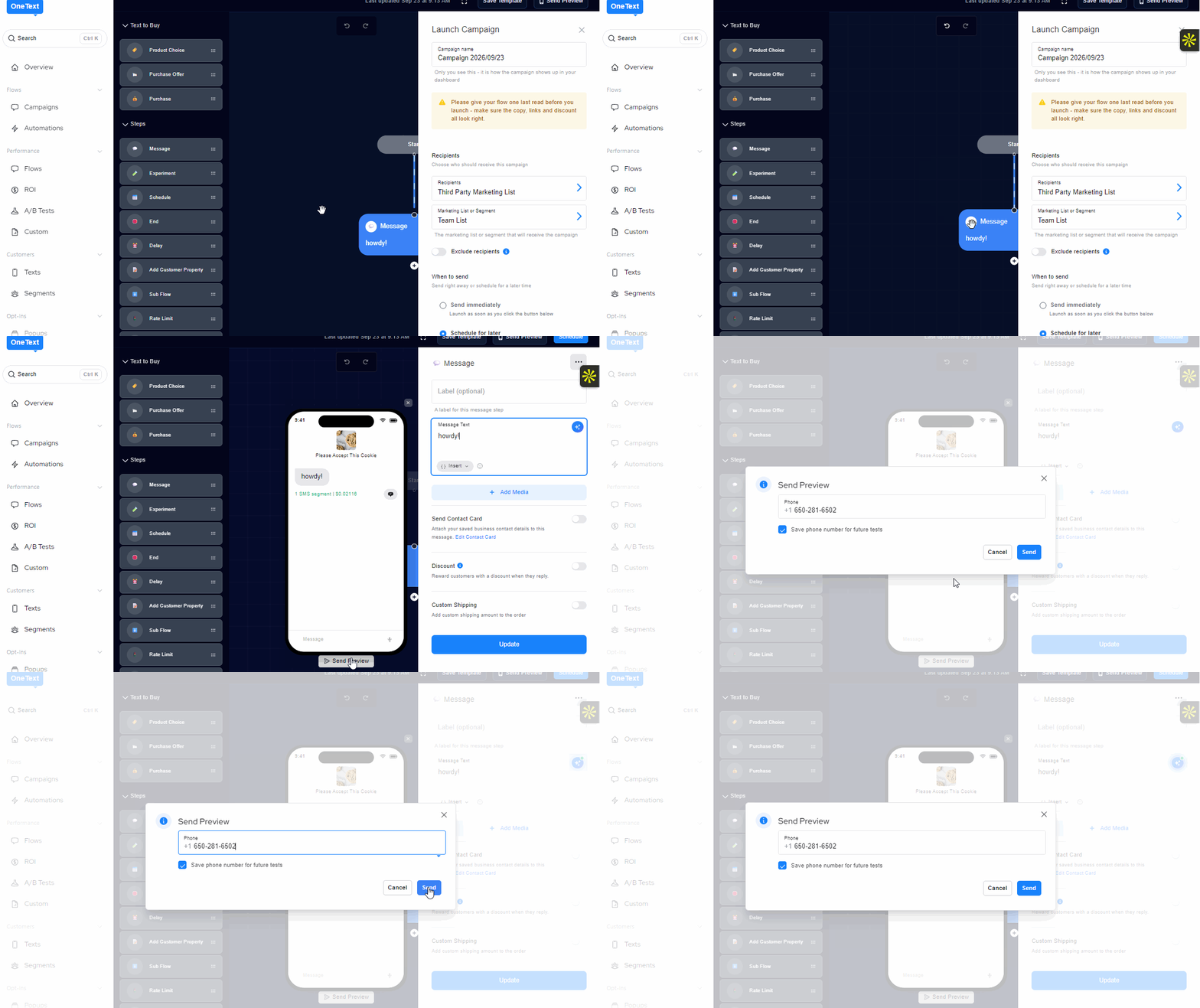
When setting up the message, you're able to click Send Preview, add your number in and hit Send