Preparing your agent for the holiday rush
Last updated: October 23, 2026
Why this matters during peak week
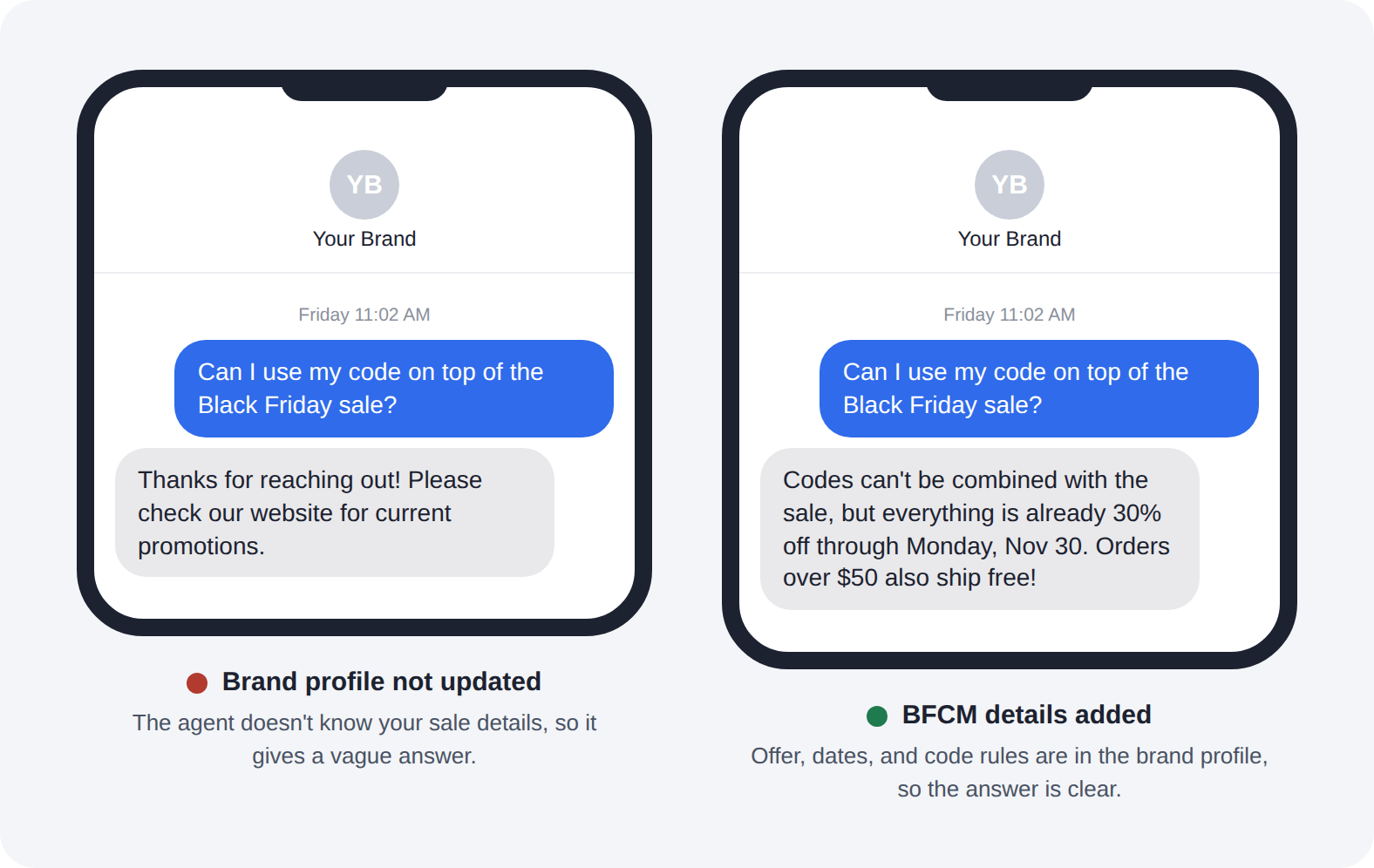
Reply volume spikes during BFCM. Every campaign you send brings back questions: does the code work on sale items, when will this ship, can I return a gift. Your agent handles most of these instantly, but only if it knows your holiday details. An agent working from October's information will give October's answers.
Update your brand profile
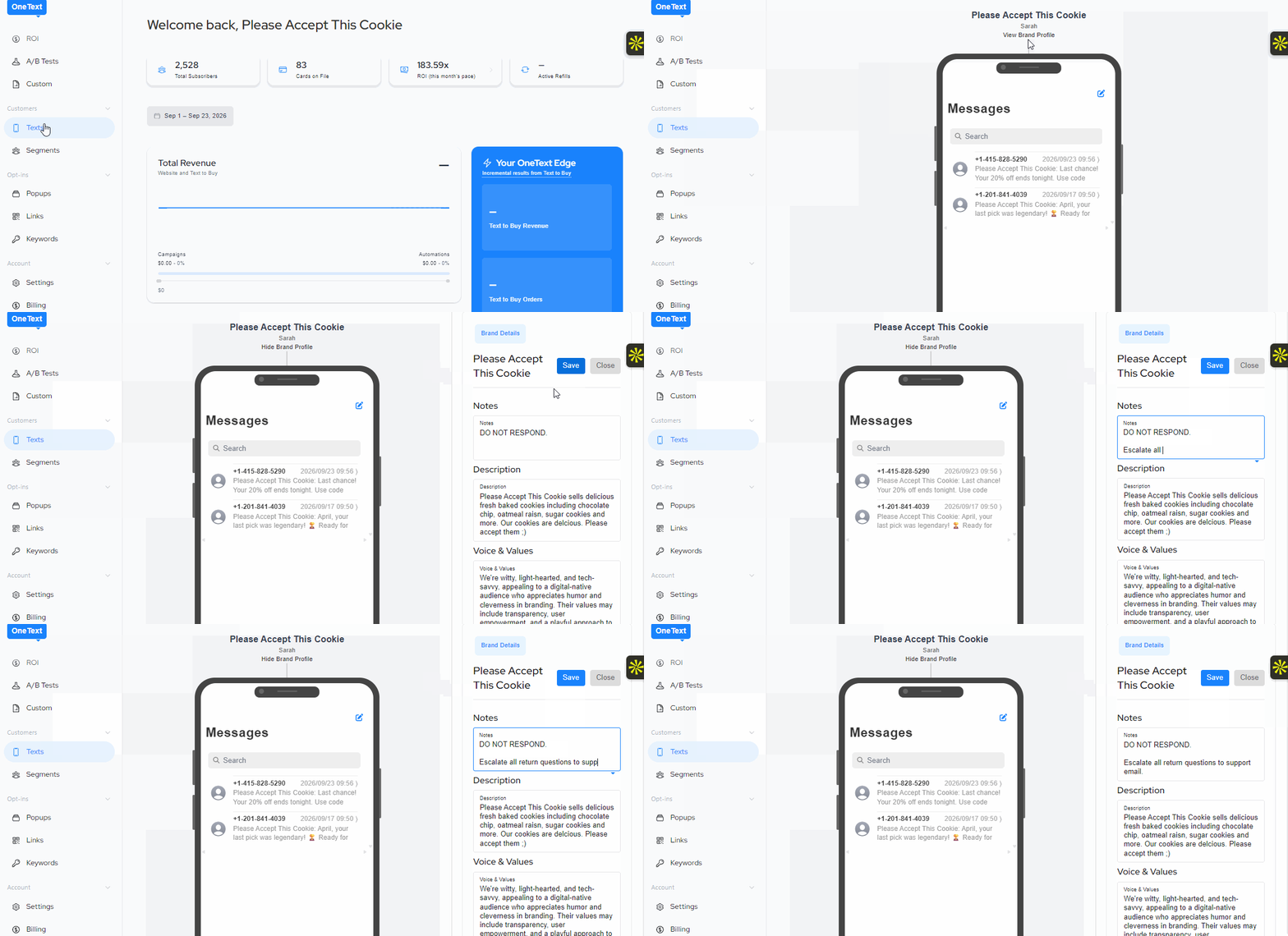
Platform > Texts > View Brand Profile > Edit: Make Changes > Save
Your brand profile is found in Text view, and it's what your agent works from. Before peak week, add:
Your BFCM offer. What's on sale, the discount, and any exclusions
Sale dates and times. When the sale starts and ends, including the time zone
Discount code rules. Whether codes stack, whether they apply to sale items, and what happens if a code doesn't work
Shipping cutoffs. The last day to order for delivery by Christmas, for each shipping method you offer
Holiday return policy. Many brands extend returns for holiday purchases. If you do, spell out the dates
Gift options. Gift wrap, gift receipts, gift cards, and whether orders can ship to a different address
Plan for the questions you'll get
Look at the replies you received last BFCM, or during your last big sale. The same questions come back every year:
"Is this on sale?"
"Can I use my code on top of the sale?"
"Will this arrive by Christmas?"
"Where's my order?"
"Can I return this after the holidays?"
If the answer isn't in your brand profile, your agent can't give it.
Set your escalation rules
Some conversations need a person. Decide ahead of time which ones get handed off, such as:
Order problems, like a wrong item or a missing package
Payment or refund issues
Upset customers
Anything involving a large or wholesale order
Make sure someone on your team is watching the inbox on Black Friday and Cyber Monday, especially in the hours right after a send.
Update it again when things change
If you extend the sale, sell out of a product, or move a shipping cutoff, update the brand profile right away. Changes you make are picked up by the agent for new conversations.
Take it down after the sale
The day after the sale ends, remove the BFCM offer and sale dates from your brand profile, so the agent isn't promising a discount that's gone. Keep the shipping cutoffs and holiday return policy until they no longer apply.
Test it
From your personal phone, text your brand's OneText number a few of the questions above before peak week. If an answer is wrong or vague, the fix is almost always a missing detail in the brand profile.
Forward unhandled messages to your support email
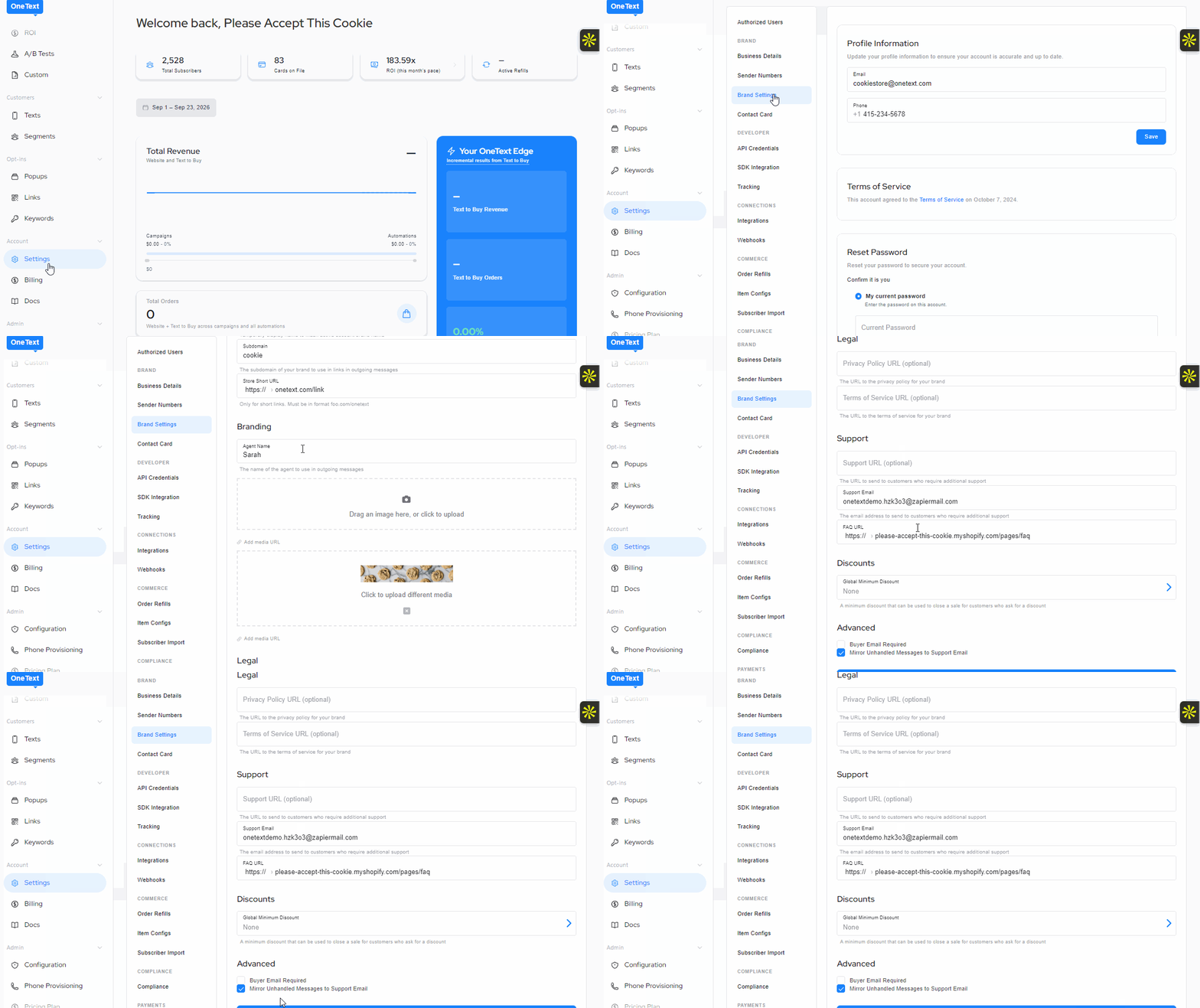
Any message your agent doesn't answer can be forwarded automatically to your support email, so nothing slips through during high-volume days.
To turn it on:
Go to Settings on your account
Open Brand settings
Scroll to the bottom and check the box for "Mirror unhandled messages to support email"
Click Save settings
Unanswered messages will be sent to the support email listed in your Brand settings. Before peak week, confirm that email address is correct and that someone is checking it on sale days.