Scheduling, sending speed, and canceling a send
Last updated: October 23, 2026
Schedule everything before peak week
The best time to write a Black Friday text is not Black Friday. Schedule every peak week campaign ahead of time so you can spend sale days watching results and answering customers, not writing copy under pressure.
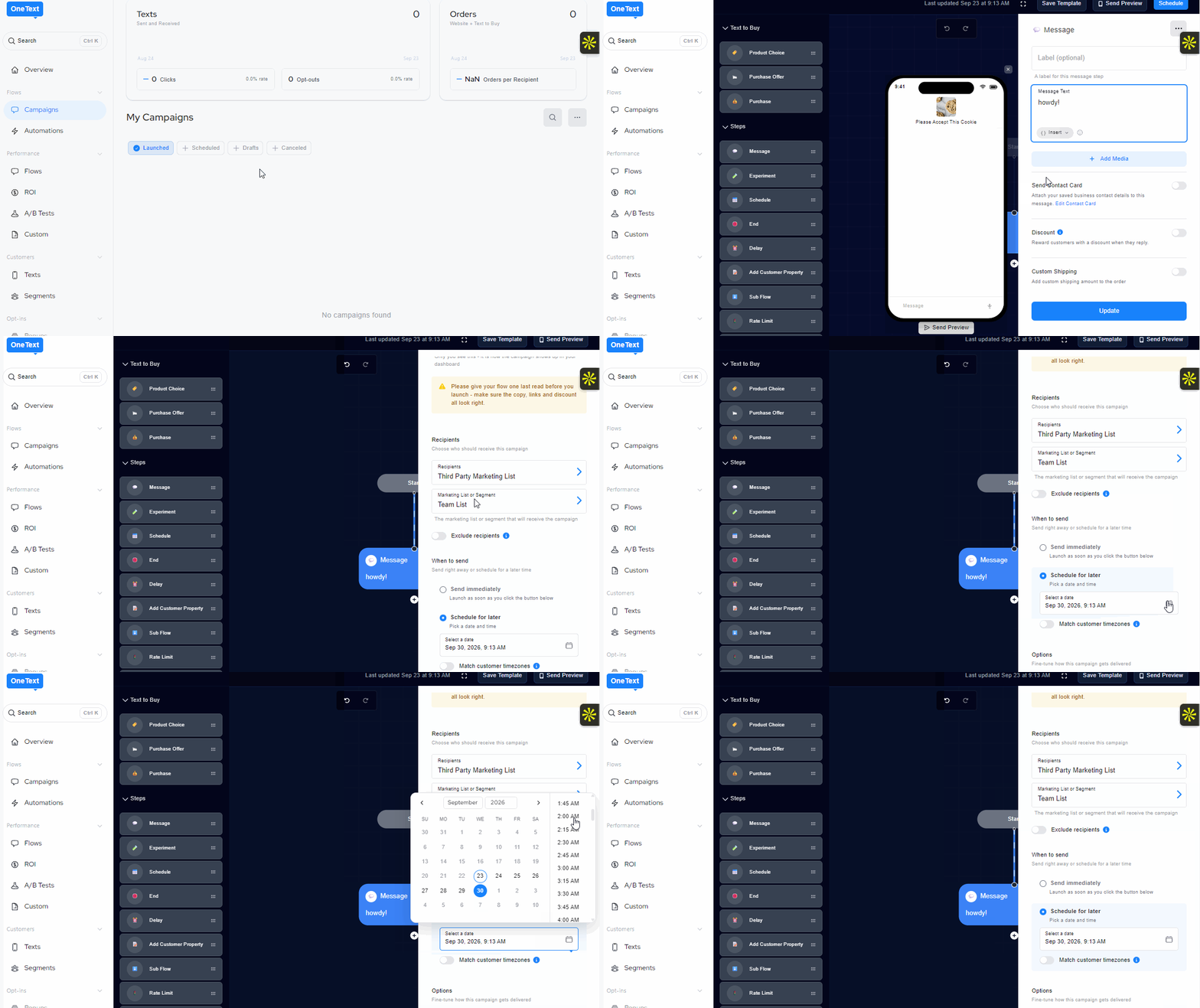
How to schedule a campaign
You have three options when sending a campaign:
Send now. The campaign goes out right away.
Schedule for later. Pick a date and time, and the whole segment is sent at that time in your time zone. A 10 AM send from California reaches East Coast subscribers at 1 PM.
Schedule in recipient's time zone. Turn on the Match customer timezones toggle when scheduling, and each subscriber gets the text at that time in their own time zone.
Large sends take time
A campaign to a big list doesn't reach everyone at the same second. Messages go out in batches, and during peak week every brand is sending at once, so delivery can take a little longer than other weeks.
What this means for you:
Don't schedule right at the edge of quiet hours. A send scheduled for 7:45 PM might get pushed to the next day. Give yourself room.
Schedule time-sensitive sends early. If your "sale ends at midnight" text goes out at 7 PM, some subscribers may not get it until later in the evening.
Avoid the top of the hour. Most brands schedule for 9:00 or 12:00. Sending at 9:15 or 12:30 can help you avoid the busiest minutes.
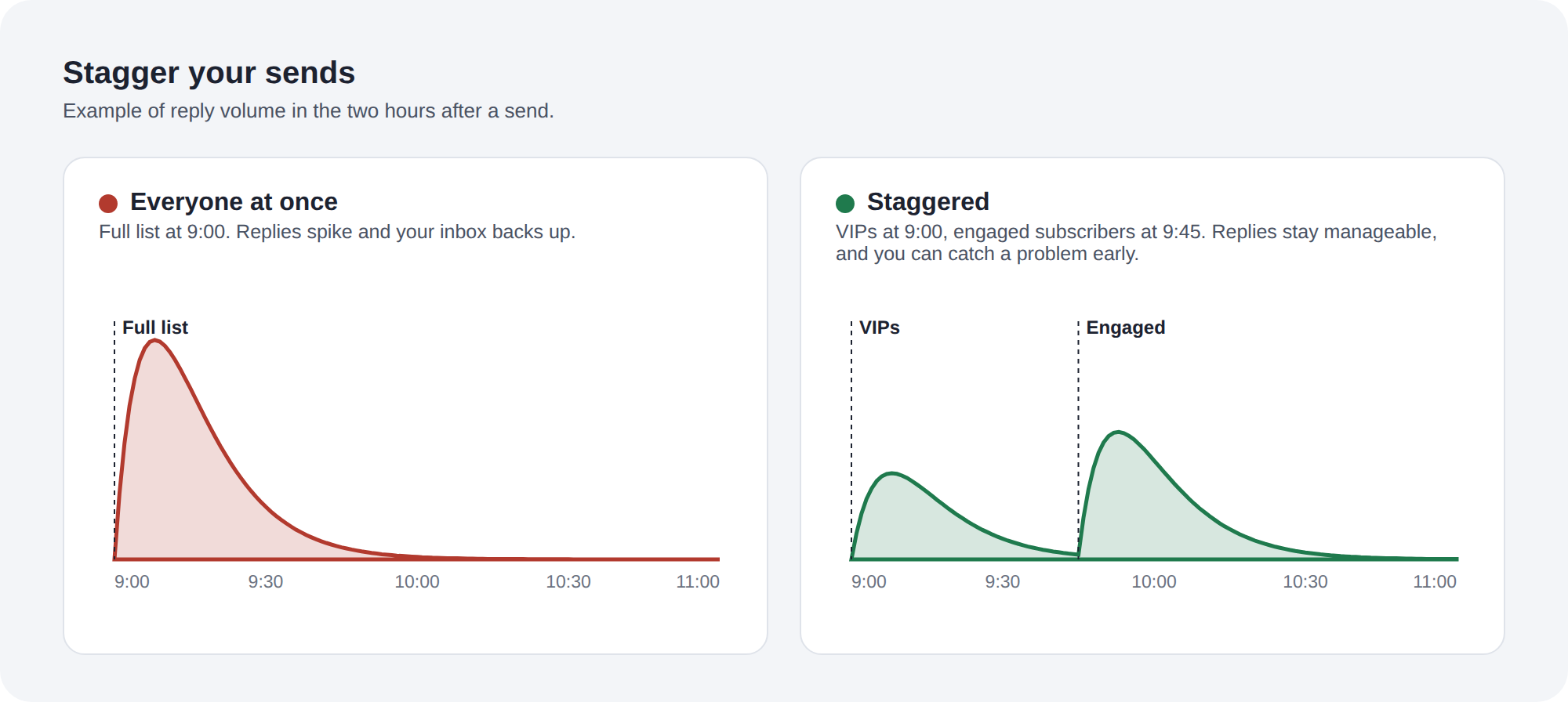
Stagger your sends
If you're texting multiple segments on the same day, space them out. Send to VIPs first, then engaged subscribers 30 to 60 minutes later. This spreads out reply volume for your agent and your team, and gives you a chance to catch a problem before it reaches your whole list.
How to cancel a scheduled send
If a code breaks, a link goes to the wrong page, or the offer changes, cancel the send before it goes out.
Go to My Campaigns and find the scheduled campaign
Click the three dots next to it
Select Cancel
Once a send has started delivering, messages that have already gone out can't be recalled.
If something goes wrong after a send
Cancel any other scheduled sends that have the same problem
Fix the code, link, or offer
Decide whether a correction text is needed. For a broken link or code, a short follow-up usually helps. For a small typo, it's often better to leave it.
Update your brand profile so your agent gives the right answer when customers ask
Open a support ticket with the campaign name, affected phone number if there is one, and a screenshot