Block Products from Text-to-Buy
Last updated: October 20, 2025
There may be certain products in your store that need to exclude from text-to-buy. Here's a quick guide to blocking OneText from offering specific products or product tags.
Please note that only products or product tags can be blocked. This tag does not work on collections.
Open your Shopify store and select the product(s) you would like to block
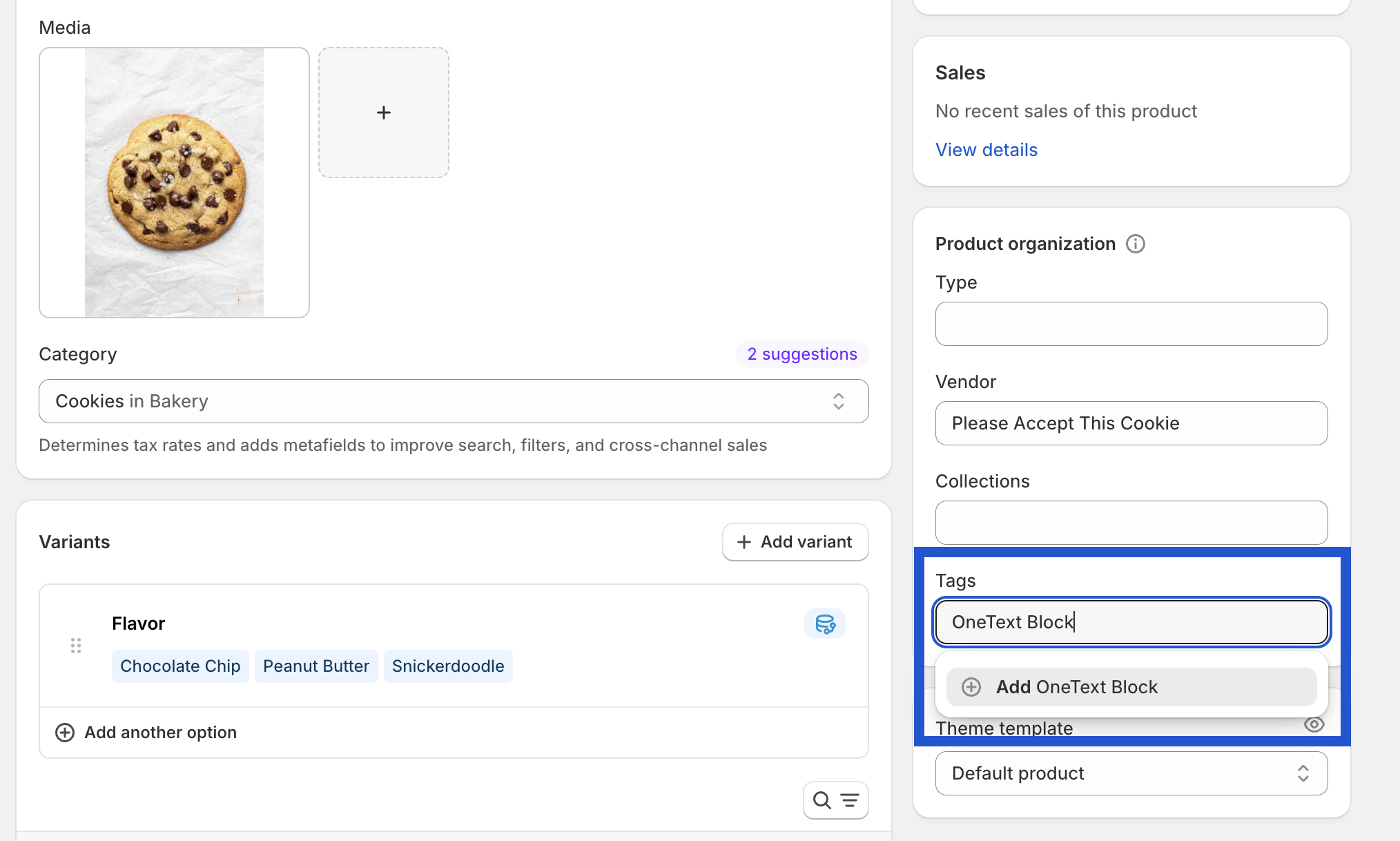
Create a new Product Tag with this exact wording:
OneText BlockApply this tag to all products you would like to exclude from OneText
Notify the OneText Success Team when these steps are completed—we'll finalize the setup on our end!
If you need to block specific variants of products, reach out to the OneText Success Team on Slack or via helpdesk@onetext.com with the variant IDs you need to exclude.