Troubleshooting Campaign Errors
Last updated: June 24, 2025
Sending a campaign in OneText is a powerful way to reach your customers—whether you're announcing a sale, educating on a new product, or just checking in. But occasionally, you may notice that some of your messages didn’t make it through.
Here’s what’s going on, and how we can help.
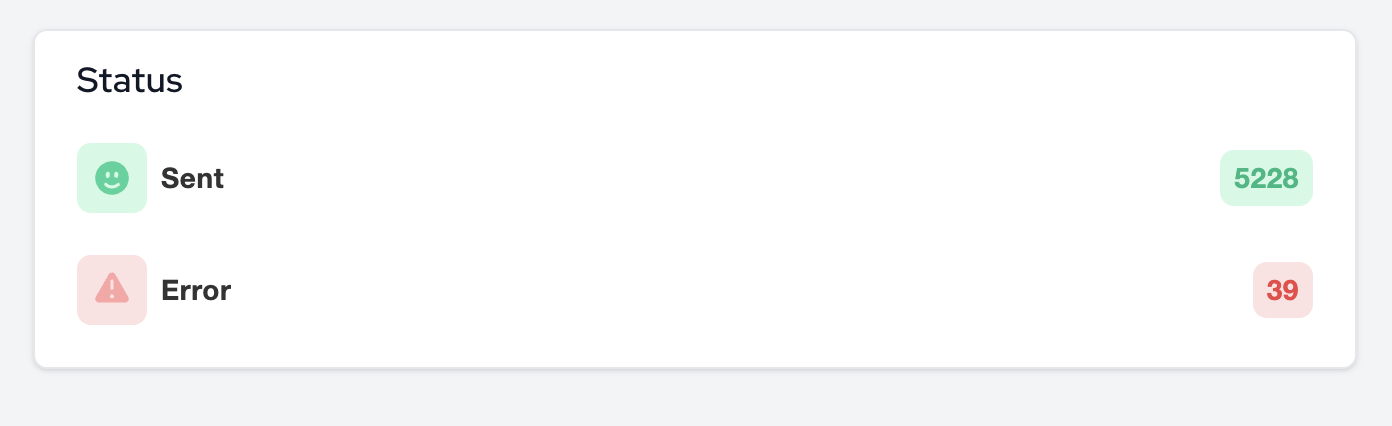
Why Do Campaign Errors Happen?
On your campaign page, you might see a small number of messages marked as “Errored.” While we don’t display individual error details in the UI (to keep things simple), we do track what went wrong behind the scenes.
Here are the most common reasons a message might fail to send:
Inactive Numbers
The customer’s phone line was canceled or disconnected.Invalid Numbers
Sometimes a number is typed incorrectly in a pop-up, or someone enters something random like “1234567890.” If it’s not a real mobile number, it won’t send.Landline Numbers
We can only deliver SMS/MMS to mobile numbers. Messages to landlines will fail.International Numbers
At this time, OneText only supports U.S.-based phone numbers. Messages to other countries will not go through.Customer Opt-Out or Blocking
If someone has opted out or blocked messaging from your brand, we respect their preferences and will not attempt to send.Carrier Outages or Delivery Failures
Sometimes, mobile carriers experience temporary issues that delay or prevent delivery. This is rare, but it does happen.
Need More Details?
If you're seeing more errors than expected and want to dig deeper, our team is happy to help.
Just reach out to support and we’ll provide a CSV report with:
The phone numbers that failed
The exact reason each one bounced
Any patterns worth noting (e.g. repeated issues with certain sources)
This can help you clean your list, troubleshoot opt-in flows, or spot any edge cases affecting deliverability.