AI Performance FAQ
Last updated: November 20, 2026
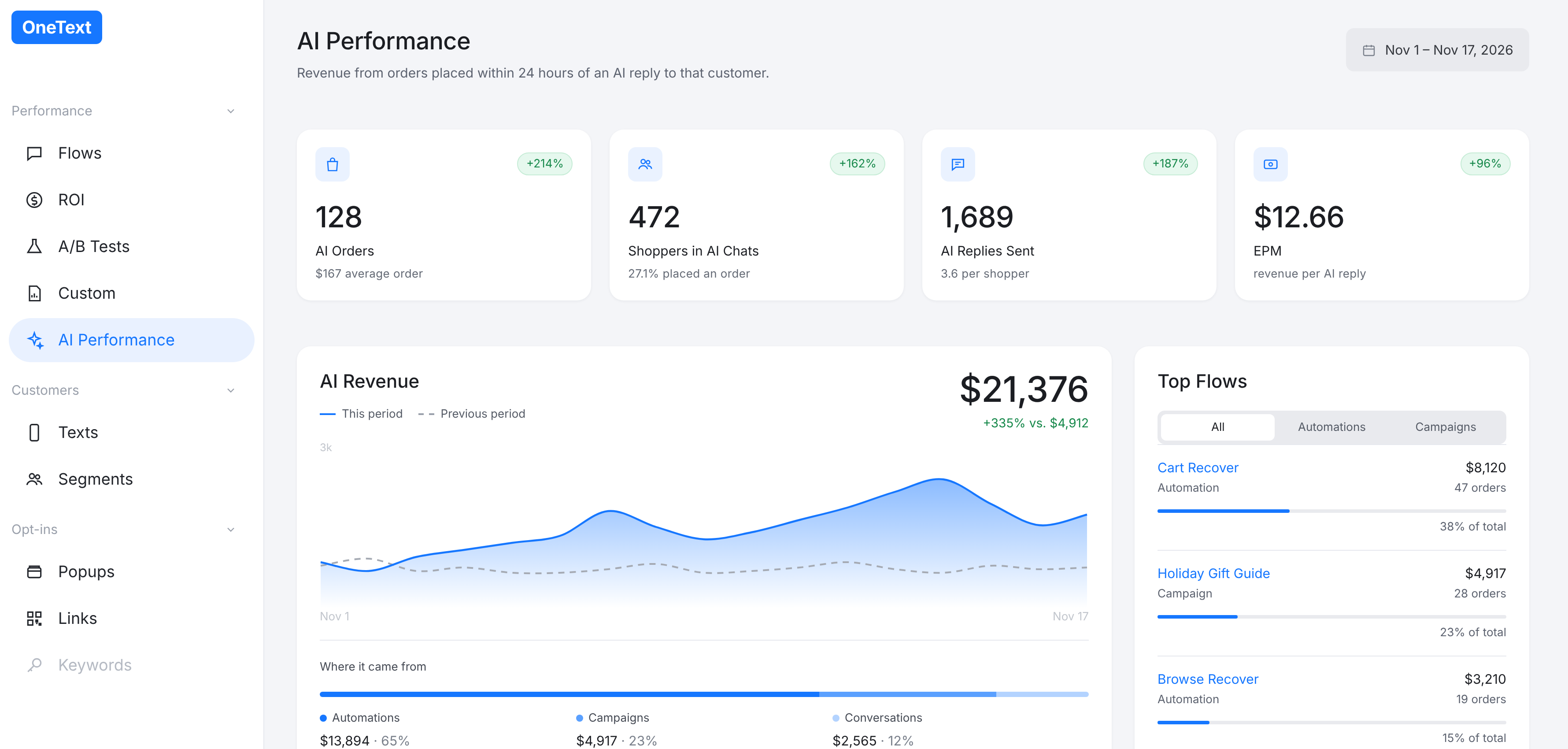
For a look at how much revenue OneText AI is driving for your store, use our AI Performance page. In your OneText dashboard, go to Performance › AI Performance in the left menu.
What counts as AI revenue?
AI revenue is revenue from orders placed within 24 hours of an AI reply to that shopper. If a shopper texts back, gets an answer from OneText AI, and orders within 24 hours, that order counts toward AI revenue.
What do the cards at the top mean?
AI Orders: The number of orders placed within 24 hours of an AI reply, plus your average order value for those orders.
Shoppers in AI Chats: How many shoppers had a conversation with OneText AI, and the percentage of them who placed an order.
AI Replies Sent: The total number of AI replies sent, plus the average number of replies per shopper.
EPM: Earnings per message, meaning AI revenue divided by AI replies sent.
Each card also shows the percent change compared to the previous period of the same length.
What does the AI Revenue chart show?
The chart shows your AI revenue over the selected date range (solid line) against the previous period (dashed line), along with your total AI revenue and the percent change.
Below the chart, Where it came from breaks AI revenue down by source:
Automations: AI replies to shoppers responding to an automation, such as Cart Recover or Browse Recover
Campaigns: AI replies to shoppers responding to a campaign
Conversations: AI replies in conversations the shopper started on their own
What is Top Flows?
Top Flows lists every campaign and automation that earned AI revenue in the selected range, with revenue, order count and share of total. You can filter by All, Automations or Campaigns, and click Download all flows as CSV to export the full list.
What is Top AI Conversations?
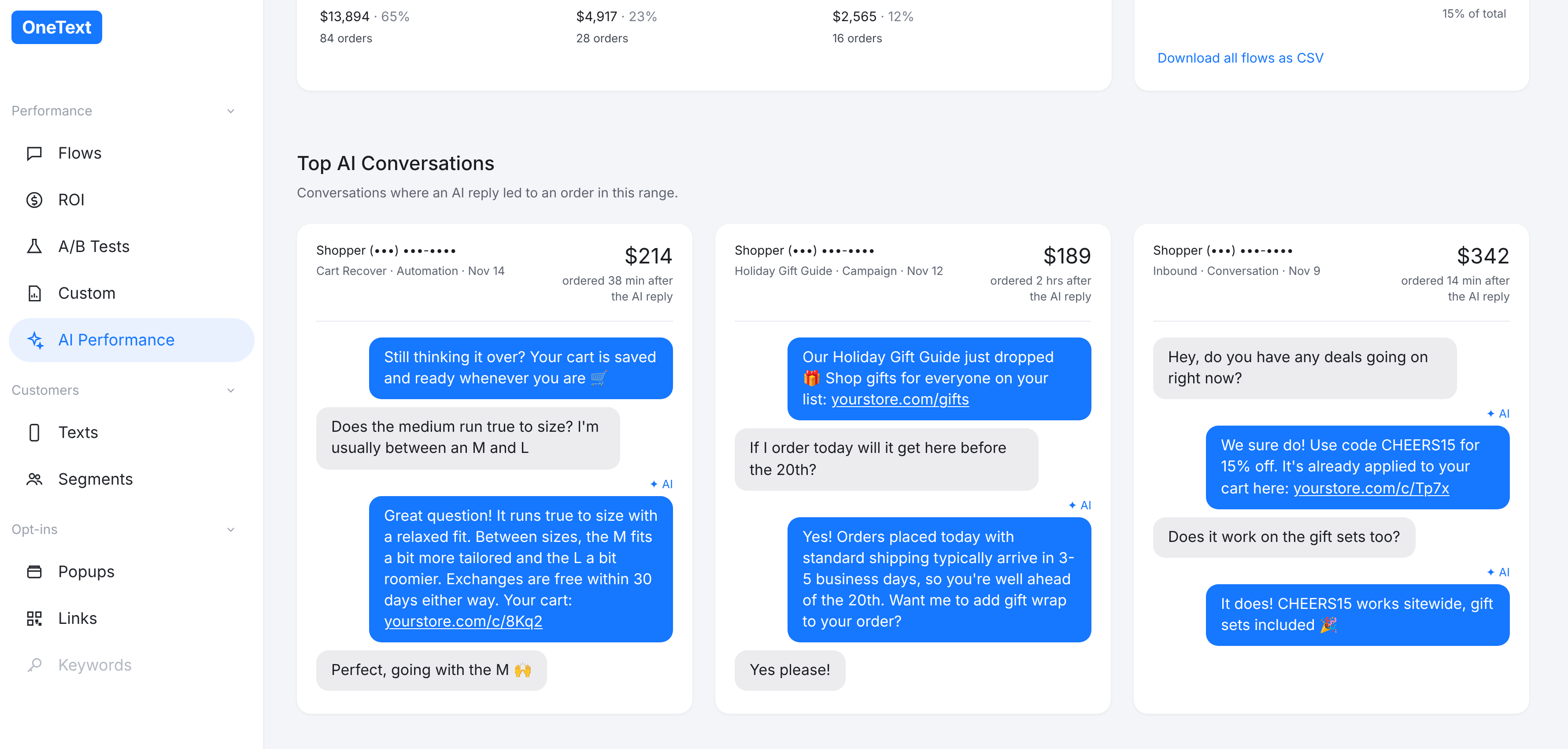
Top AI Conversations shows real examples of conversations where an AI reply led to an order in the selected range, including the order amount and how long after the AI reply the shopper ordered. It's a quick way to see what shoppers are asking and how the AI is helping them convert.
What date range does the page use?
The page defaults to month to date. If you change the date range, it stays selected for the rest of your browser session, the same as the Flows and A/B Tests pages.
Can I see these numbers in Custom Reports?
Yes. The link at the bottom of the page opens the same AI Performance numbers in Custom Reports, so you can dig in further or build your own views.
Why is AI revenue lower than my total OneText revenue?
AI revenue only counts orders placed within 24 hours of an AI reply, so it's a subset of your total OneText-attributed revenue. Orders from shoppers who never chatted with the AI, or who ordered more than 24 hours after an AI reply, show up in your other reports but not here.
Questions?
Let us know if you have any questions about your AI Performance numbers. Tag @onetext in Slack or email support@onetext.com