MailChimp Forms (Formerly Amped.io)
Last updated: April 12, 2025
OneText has a native integration with MailChimp Forms (formerly Amped.io). Simply follow the 4 steps below!
Copy the code below:
/////////////////////////////////////////////
// 📲 Send new phone numbers to OneText SDK client side with email and phone
/////////////////////////////////////////////
if (typeof window.onetext !== 'undefined' &&// Ensure 'onetext' is defined
    input.phone_number &&
    input.email) {
    try {

        onetext.optin.submit({
            email: input.email,
            phone: input.phone_number,
        })

    } catch (error) {
        // Handle any errors that occur during the function call
        console.error('Error starting OneText flow:', error);
    }
} else {
    // Log a different warning based on the specific condition that is not met
    if (typeof window.onetext === 'undefined' || !window.onetext.flow || !window.onetext.flow.core || !window.onetext.flow.core.start) {
        console.warn('OneText is not available on this page.');
    } else if (!input.phone_number) {
        console.warn('Phone number is not provided.');
    } else if (!input.email) {
        console.warn('Email is not provided.');
    }
}

resolve();
Navigate to the SMS Capture Step on your campaign > Primary CTA > Button Actions
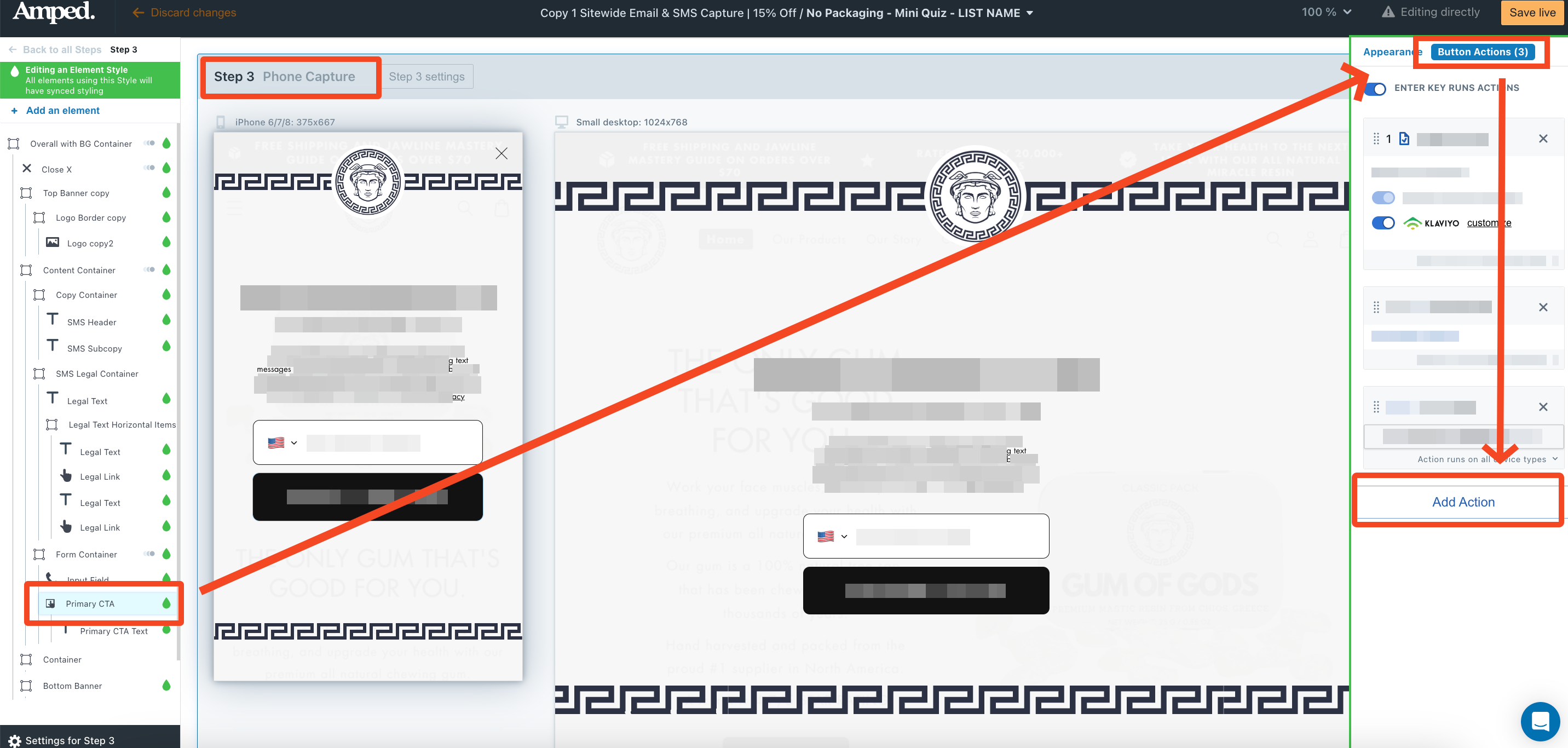
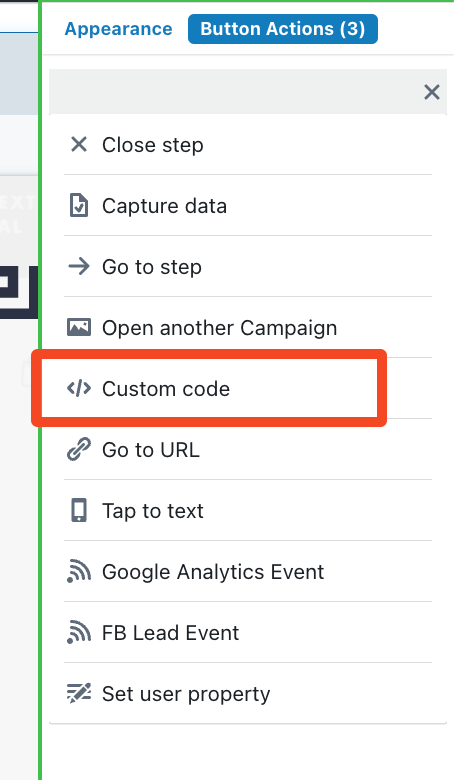
Add Custom Code button action
Paste code in, title it & save!
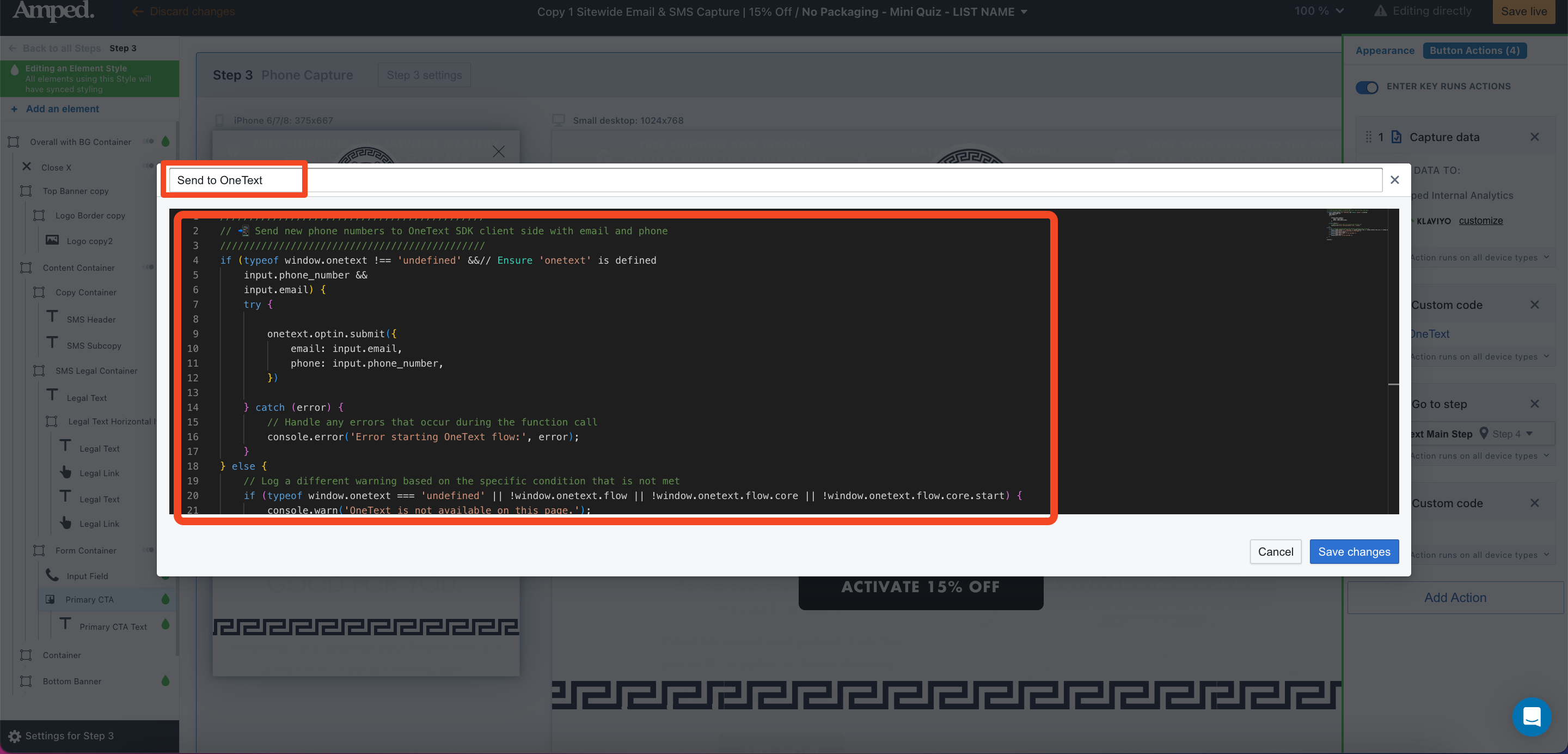
Make sure your custom code action is set up on top of the action to send users to the next step. Simply click and drag to re-order if needed!