June 2026 Product Release Notes
Last updated: July 8, 2026
Major Releases
Live Character Counter on Message Previews
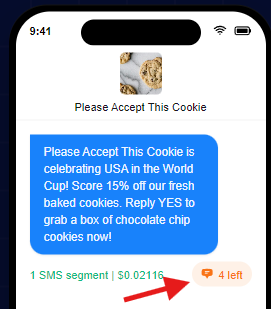
(Dashboard > Message Preview) Message preview sections now display a live character counter as you compose — including segment count, character count, and encoding type.
What's New
Real-time display of segment count, character count, and encoding type while composing
Accurately accounts for shortened URLs, merge tag values, and special characters
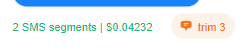
Over-limit warning — the counter turns orange when a message exceeds the limit and shows exactly how many characters to trim to drop a segment
Why This Matters
Full visibility into message length and segment costs before sending
No more guesswork around how URLs, merge tags, or special characters affect segments
Helps keep messaging costs predictable and messages concise
RCS Message Step Enhancements
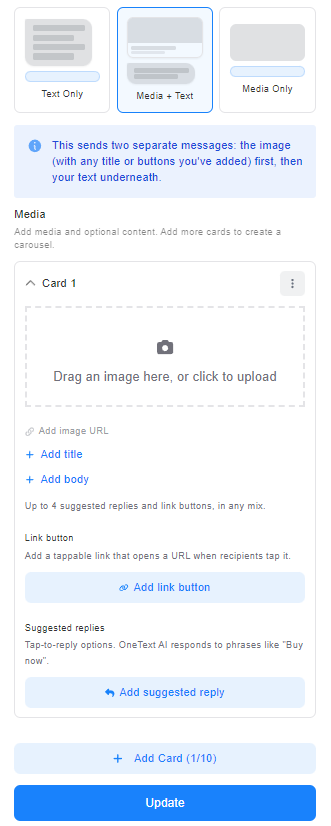
(Dashboard > Flow Editor > Message Step) The RCS message step in the Flow Editor has been upgraded with drag-and-drop card reordering and a refreshed, more polished editing and preview experience.
What's New
Drag-and-drop card reordering — RCS cards can now be dragged to any position in the sequence directly in the flow editor. The order is saved exactly as arranged when the flow is published
Refined editor and preview design — Tightened layouts and updated preview styling throughout the RCS message step, so what you see while composing more closely reflects the final message experience
Why This Matters
No more workarounds to rearrange RCS cards — reordering is now direct and instant
A cleaner, more accurate composition experience makes it easier to build rich RCS content with confidence
Minor Releases
Clearer Live/Draft Flow Toggle
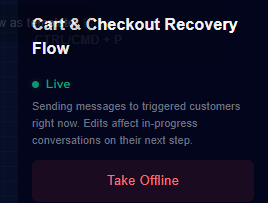
(Dashboard > Flow Editor) The flow status toggle has been redesigned to clearly distinguish between live and draft states. Previously, the toggle could display "Active" even for inactive flows.
Redesigned Message Composer Toolbar
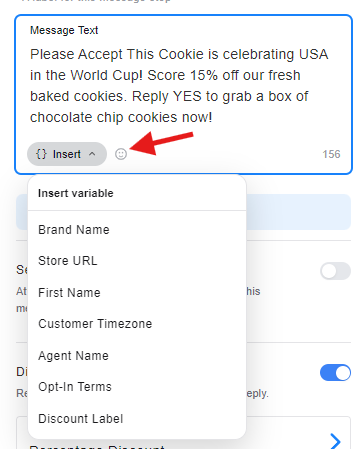
(Dashboard > Flow Editor) The message text component now features a modern bottom toolbar. Inserts (templates, placeholders) now live in a dropdown, the AI/Standard mode switcher is a compact pill, and we've added an emoji picker and a live character counter with max-length enforcement.
Selling Plan Segmentation Now in the Dashboard
(Dashboard > Flow Editor > Segments) The selling plan segment condition is now available in the dashboard, letting merchants branch flows based on whether a cart contains subscription items.
Phone Preview Across All Message Steps
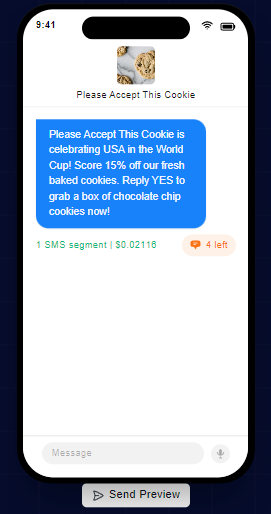
(Dashboard > Flow Editor) The live phone preview panel — previously shown only on the initial message step — now appears on every message step, so merchants can see exactly how each message will look as they compose.
Purchase Step UI Refresh
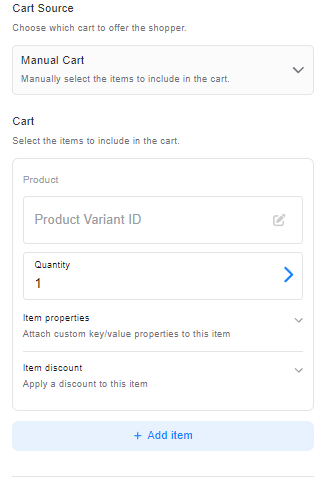
(Dashboard > Flow Editor > Purchase Step) The Purchase step has been visually updated to match Purchase Offer patterns — consistent section headers and dividers, a redesigned Cart Source dropdown, and clearer subscription toggle sections (Refill, Different Cart, Reminder). Styling only; no behavior changes.
Flow Editor Settings Panel Polish
(Dashboard > Flow Editor) The header, subflow, rate-limit, and webhook node editor panels received a visual refresh with improved layout and consistency.
General Bug Fixes & Backend Improvements
Various fixes and backend updates to improve platform stability and performance.