November 2025 Product Release Notes
Last updated: February 25, 2026
Major Releases
Tap-to-Text from Popups
(Popups > Editor)
Tap-to-Text is now available directly within popups, giving shoppers a frictionless way to opt into SMS and trigger your welcome flow - whether they’re on mobile or desktop.
This new feature routes users into their default messaging app with a pre-filled enrollment message, streamlining acquisition and improving conversion across devices.
Mobile
When a user taps the button, their messaging app opens instantly with the opt-in message pre-filled.
Sending the message enrolls them into your SMS program and starts your welcome flow (if configured).
Desktop
Instead of opening a messaging app, the pop-up displays a QR code.
Scanning the QR code launches the user’s default messaging app on their phone with the same pre-filled opt-in message.
Why This Matters
Tap-to-Text simplifies subscription across devices and reduces friction - especially for desktop traffic, where traditional SMS opt-ins often drop off.
📘 Learn More: Best Practices for Pop-ups
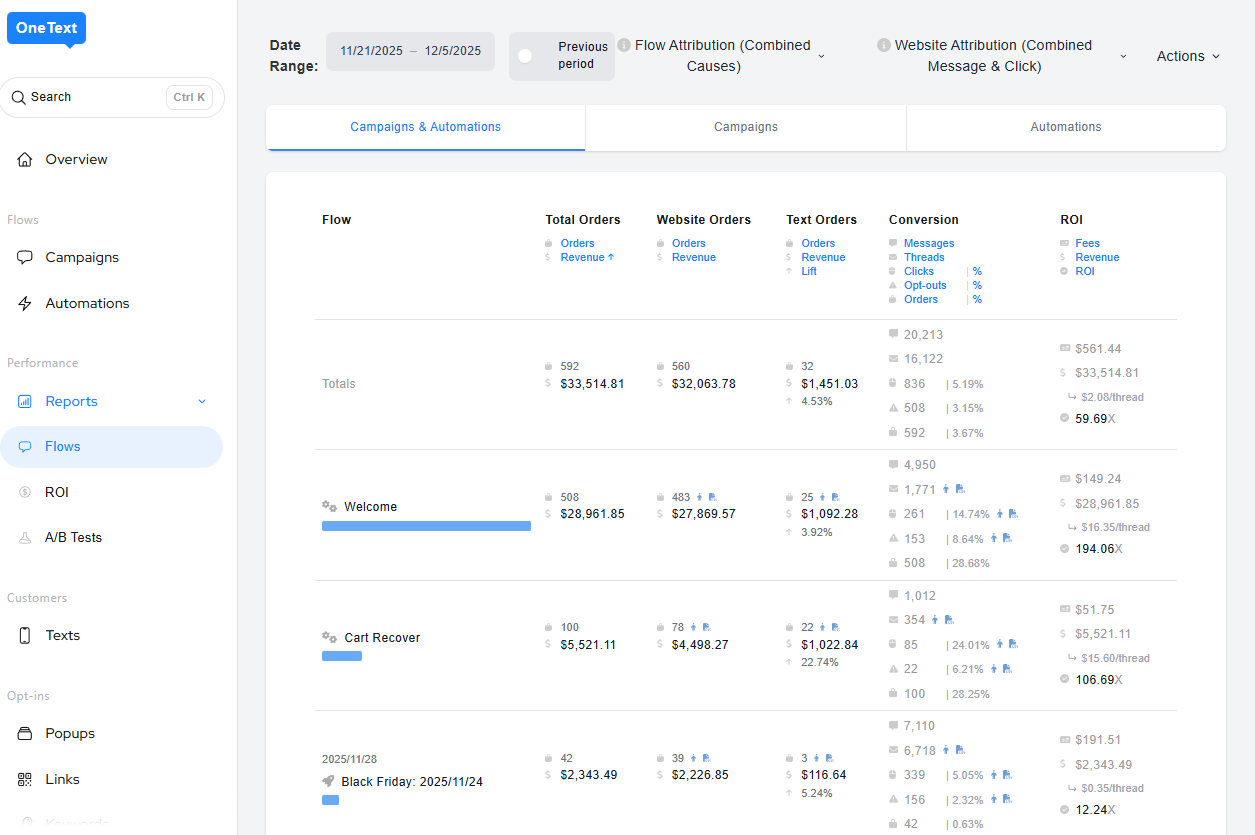
CSV Export for Flow Stats - add screenshot
(Flows > Stats)
Brands can now export flow performance as a CSV for offline or BI analysis.
Enhanced AB Testing Stats
(Campaigns > A/B Testing)
The A/B testing page now includes deeper metrics for each variation:
Clicks
Opt-outs
Text-to-buy orders
Website orders
Performance deltas
Why This Matters
Brands can confidently determine the winning variation using richer data.
📘 Learn More: A/B Tests
Billing Page Improvements
(Settings > Billing)
We’ve made substantial improvements to the Billing page, with more enhancements rolling out soon.
What’s New
Clearer breakdown of credit-based payments
Improved tooltips and billing explanations
Updated layout and grouping for plan/invoice details
Why This Matters
Greater transparency and smoother financial management.
📘 Learn More: OneText Billing Page
Minor Releases
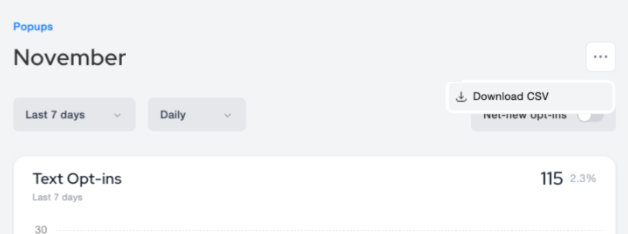
CSV Export for Popup Stats
(Popups > Overview)
You can now download popup stats via CSV and view opt-in rates directly on live popup cards.
AI Purchase Offer Upsells
(Flows > Message / Campaigns)
Our AI engine can now generate purchase-focused upsell suggestions based on performance data, context, and product insights-helping boost AOV with minimal setup.
📘 Learn More: OneText AI
Bot Protection Improvements
(Popups > Forms)
We’ve added new protection mechanisms to reduce bot-driven sign-ups and keep subscriber lists clean.
Enhanced Rate Limiting: Stricter limits based on IP, account token, and browser identifier help prevent rapid or repeated bot sign-ups.
New & Improved Keyboard Shortcuts
(Global Navigation)
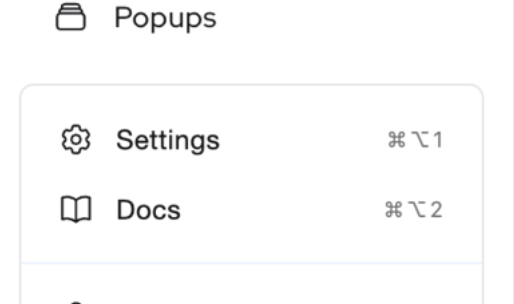
Keyboard shortcuts have also been added to help power users move through the dashboard more efficiently.
Keyboard Shortcuts
⌘ + K → Open the Global Command Menu (Improved page mapping & styling)
⌘ + Option + 1 → Jump directly to Settings
⌘ + Option + 2 → Open the OneText Knowledge Base
📘 Learn More: Keyboard Shortcuts
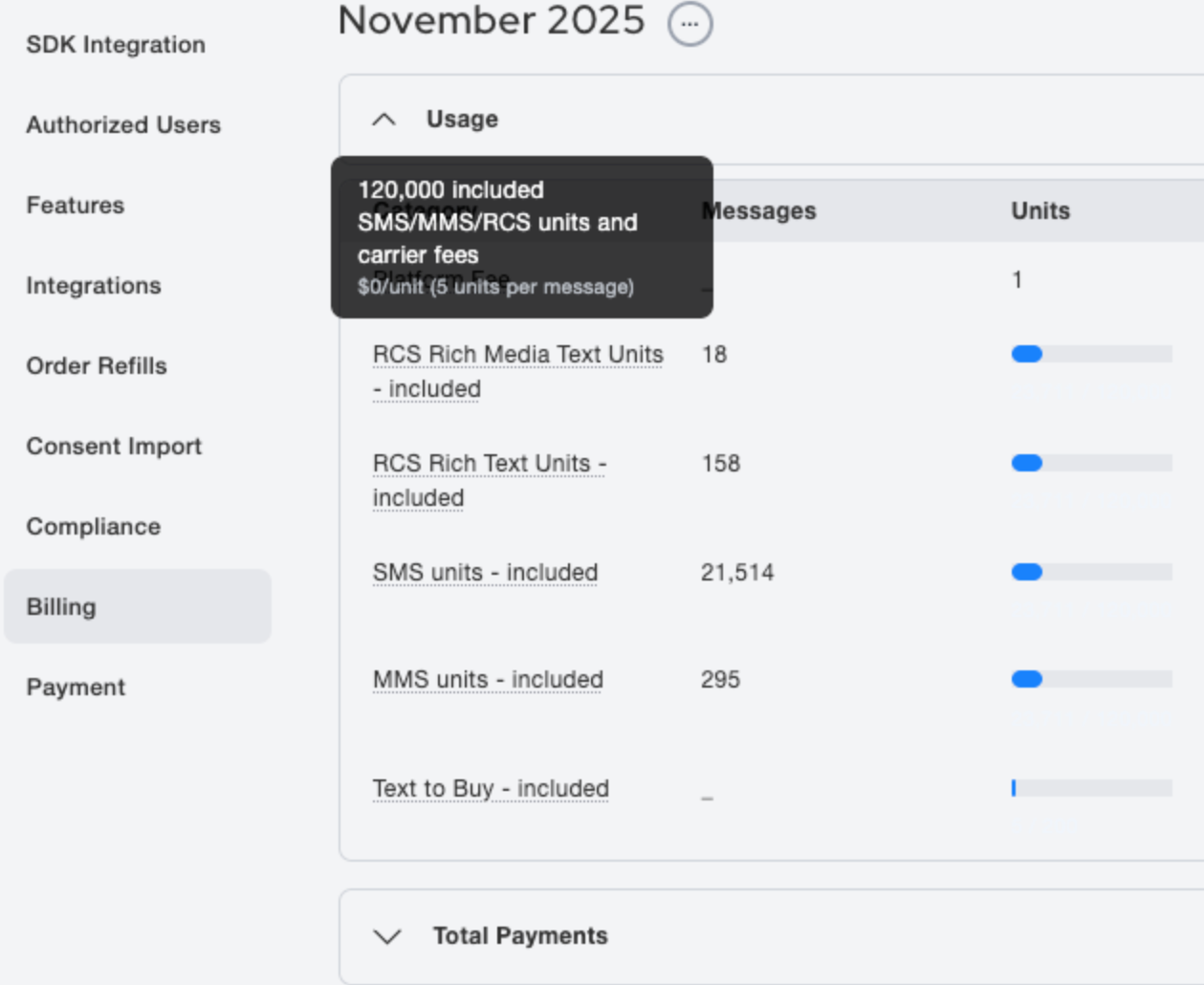
Improved Billing Table Descriptions
(Settings > Billing)
We’ve cleaned up and refined the description column in the billing tables for clearer, more consistent explanations of charges and credits.
More readable transaction labels
Reduced redundancy and simplified wording
Custom Profile Property on Subscriber Import
(Customers > Import)
You’ll now have the option to include a custom profile property - both name and value - when importing subscribers via CSV.
Add a unique profile attribute during import
Automatically attach that property to every subscriber in the file
Enables more precise segmentation and personalization from day one
Improved Flow Editor User Experience
(Flows > Editor)
We’ve made several updates to improve the speed and clarity of building flows, including enhanced animations for step placement and the ability to select multiple AI suggestion chips for richer message drafts.
📘 Learn More: Flow Editor